Table of Contents
This guide walks you through connecting ClickLeadz with ActiveCampaign CRM so you can capture Facebook group leads, apply tags, and trigger automated email and CRM workflows instantly.
Before you begin, please ensure that:
- You’ve installed the ClickLeadz Chrome extension.
- You’ve connected your Facebook group and created a spreadsheet for your leads.
- You’ve set up membership questions for your Facebook group.
Once these are in place, follow the steps below to connect ClickLeadz with ActiveCampaign.
Step 1 — Log Into Your ActiveCampaign Account #
- Sign in to your ActiveCampaign dashboard.
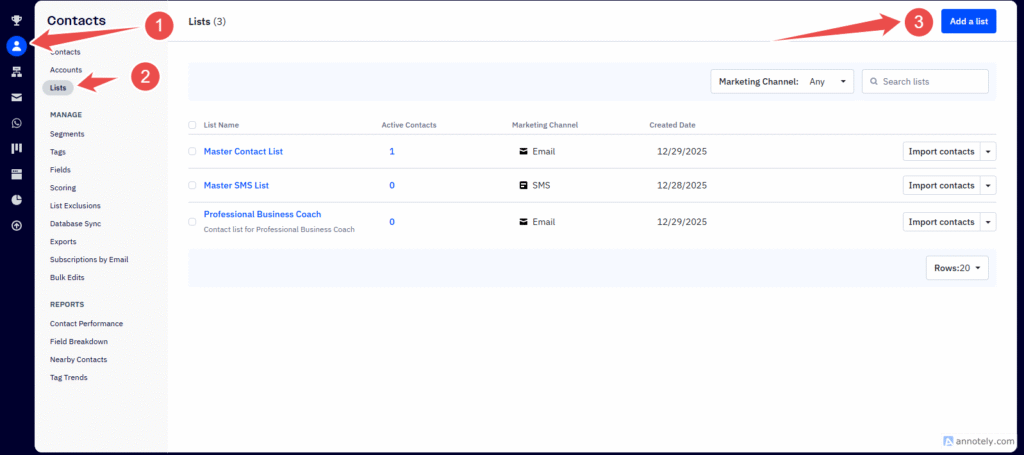
- From the left-hand menu, click the Contact Icon
- Select List
- On the Right Click on “Add List” Button
Step 2 — Create a New List #
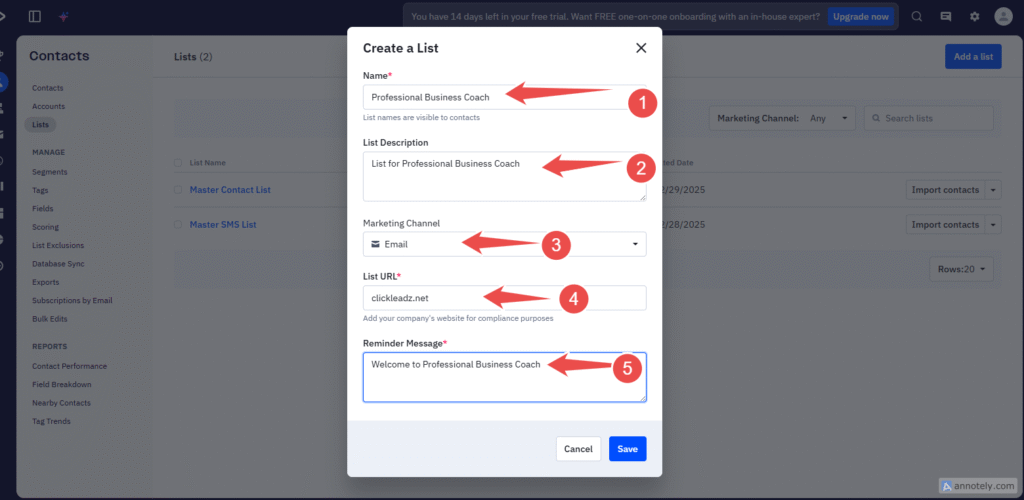
- Click Add a list.
- Enter a name for your list (for example: ClickLeadz – Professional Business Coach).
- Complete any required details and save the list.
Step 3 — Copy Your List ID #
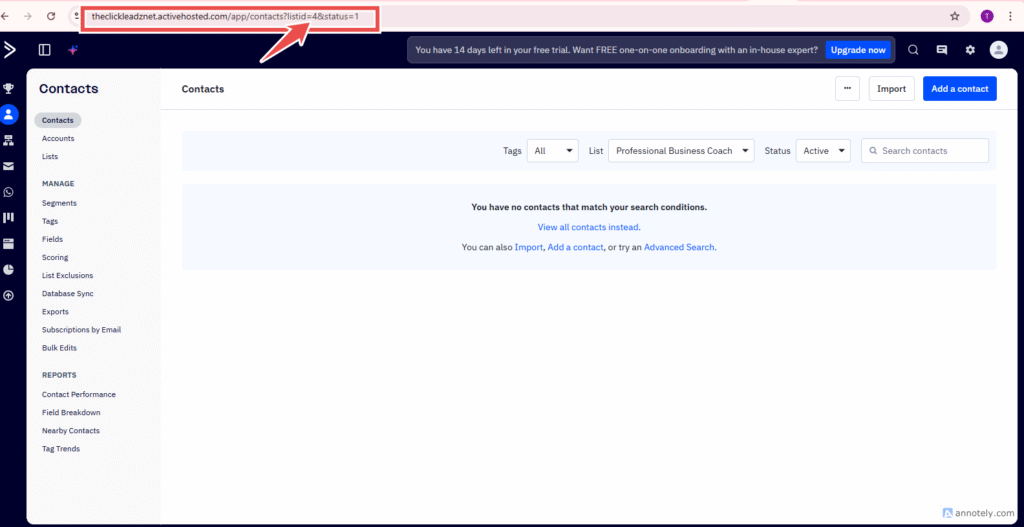
After saving your list
click on the list and copy the list ID in the URL
In this Case, The List ID id 4
Step 3 — Get Your ActiveCampaign API Credentials #
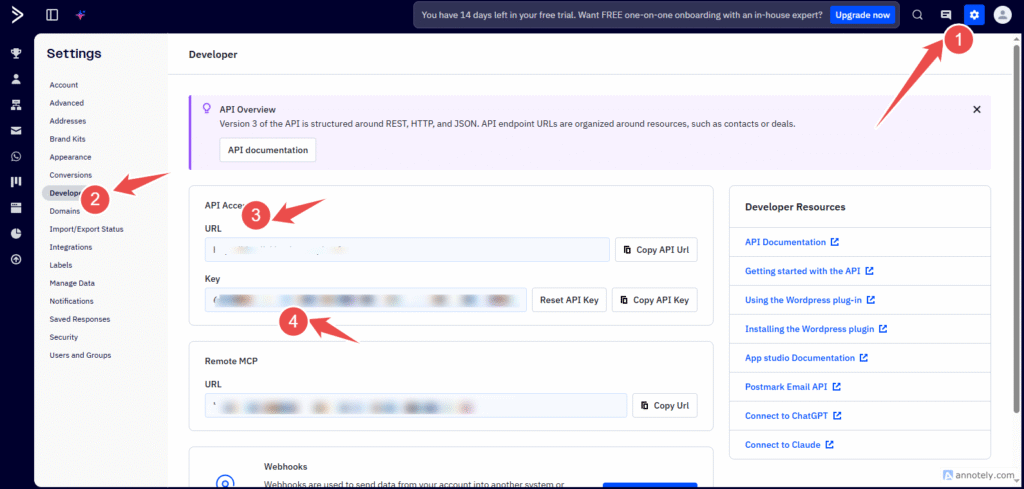
- In your ActiveCampaign dashboard, click Settings.
- Navigate to Developer (or Settings → Developer).
- Locate and copy:
- API URL
- API Key
Save both values in your notes.
#
Step 4 — Open Your ClickLeadz Extension #
- Click the ClickLeadz icon in the top-right corner of your Chrome browser.
- Locate your connected Facebook group.
- Click the Settings (⚙️) icon next to the group.
- Under Autoresponder Integration, select ActiveCampaign.
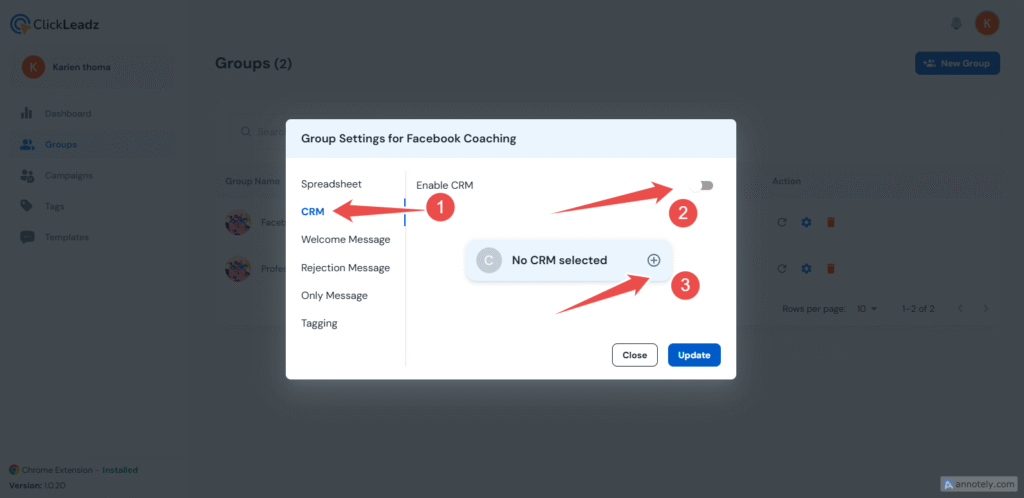
Step 5 — Enter Your ActiveCampaign Credentials #
- Click Credentials in the ClickLeadz integration window.
- Paste the following details from your notes:
- API URL
- API Key
- List ID
- Click Verify & Update.
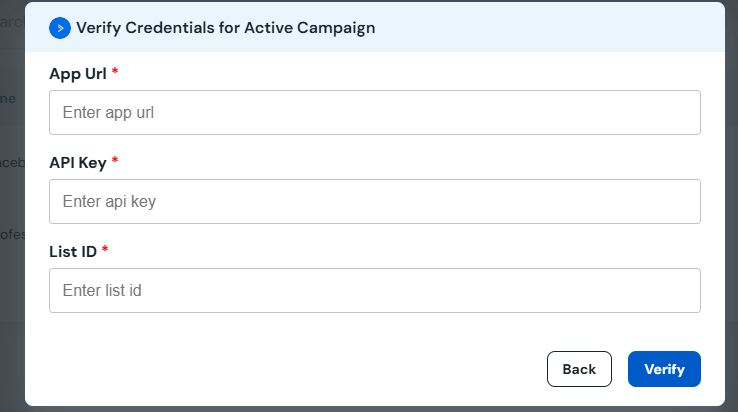
If everything is entered correctly, you’ll see a green confirmation message at the top of the screen.
Integration Complete 🎉 #
Your ClickLeadz account is now successfully connected to ActiveCampaign.
From now on:
- Every new member you approve using ClickLeadz will automatically be added to your ActiveCampaign list.
- Lead details (name, answers, tags, and profile link) will also be saved in your Google Sheet and ClickLeadz dashboard.
Related Articles #
- How to Integrate ClickLeadz with GetResponse
- How to Integrate ClickLeadz with Mailchimp
- How to Integrate ClickLeadz with ConvertKit
- How to Integrate ClickLeadz with Sendinblue


